HDR Eclipse Luminosity Integration & Optical Normalization
HELION
HELION merges your RAW files of a total solar eclipse into one picture that shows the whole corona.
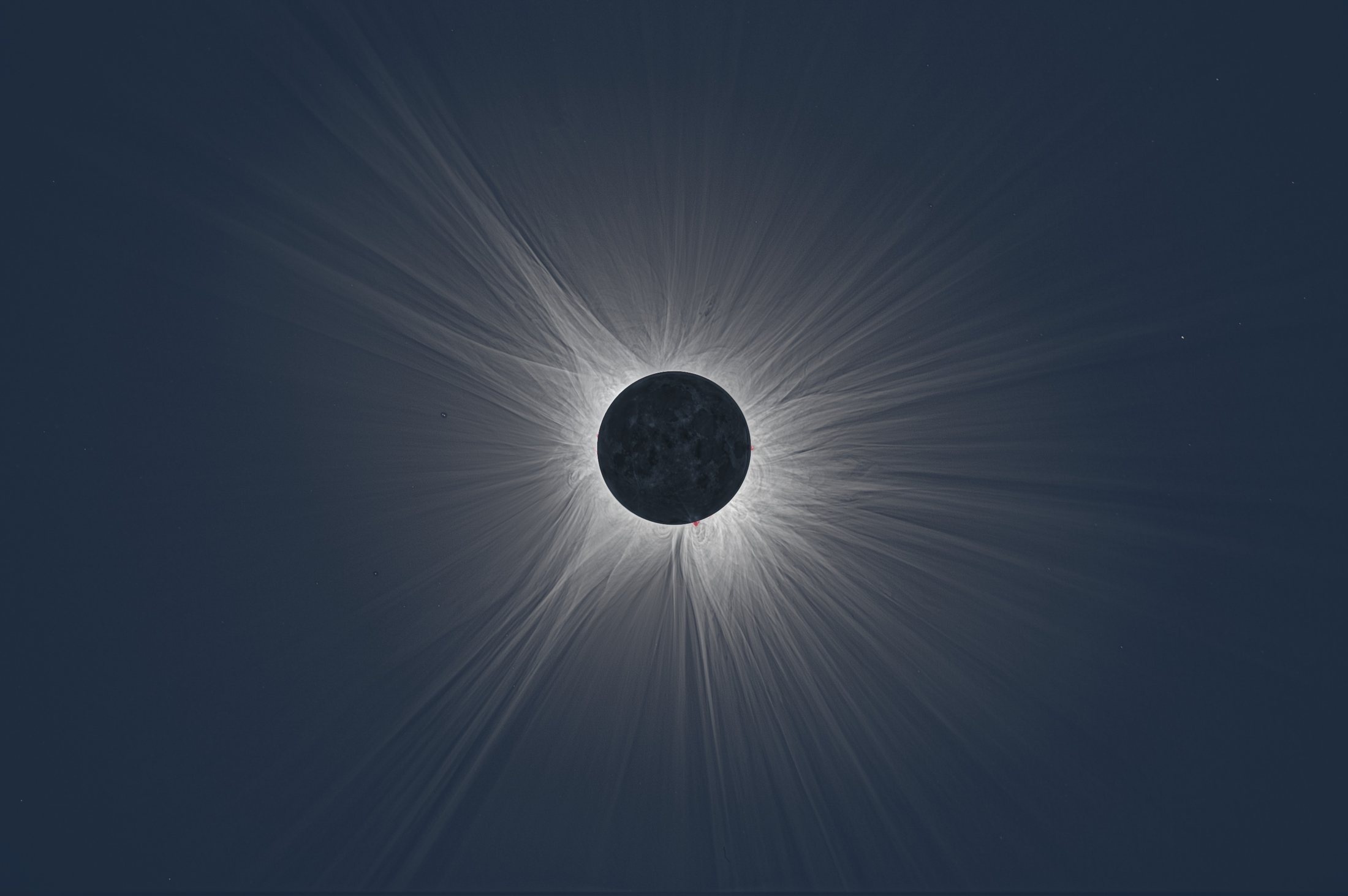
Above2024·04·08Durango, Mexico400 mmunretouched HELION output
Overview
What is HELION?
HELION makes one photograph of the corona out of the frames you shot during totality. The short ones hold the bright ring at the Moon's edge, the long ones the faint streamers, and no single frame holds both.
It cleans the frames with your bias, darks and flats, aligns them on the corona, combines the bracket, takes the twilight sky out and lifts the faint structure. Out come a 16-bit PNG, a JPEG and a scene-linear DNG. Nothing is painted in: every value was measured off your own frames.
What the camera gives you.
What the camera hands you is a bracket, and none of it is a photograph yet. Between the limb and the outer streamers the corona spans five orders of magnitude, so no single exposure can hold it. Each frame holds a different slice. These six come from one cycle, developed through the same curve, so the only difference you are looking at is the shutter.
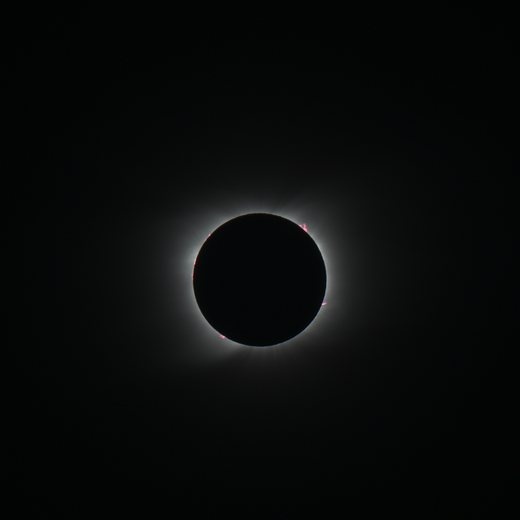 1/320 s
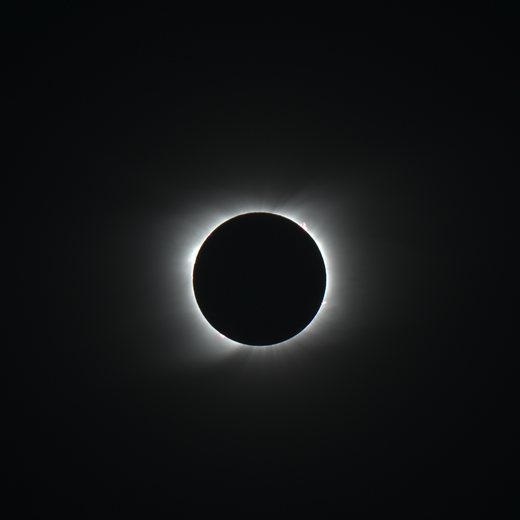 1/80 s
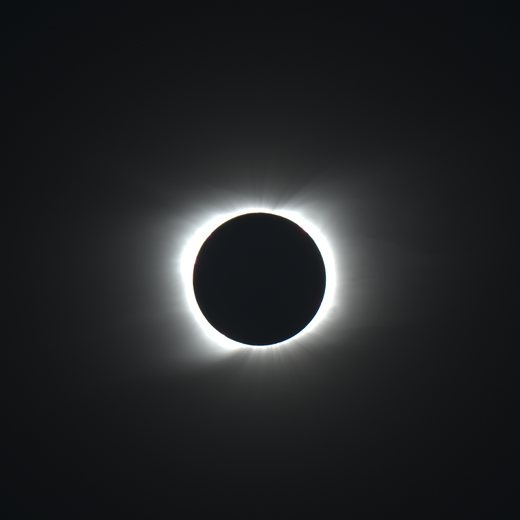 1/20 s
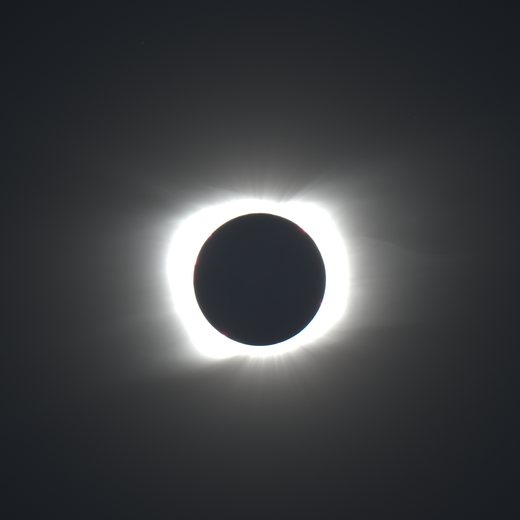 1/5 s
1/5 s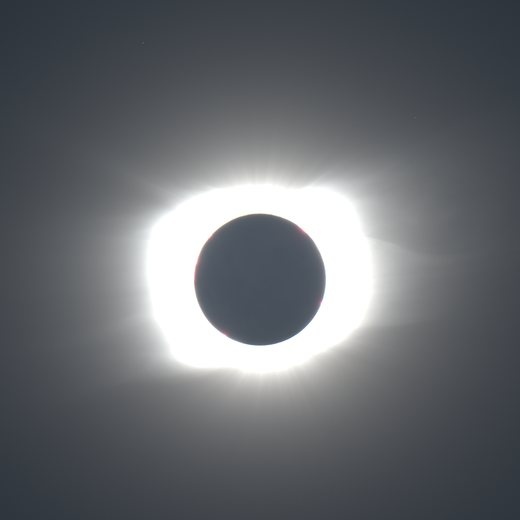 1/1.3 s
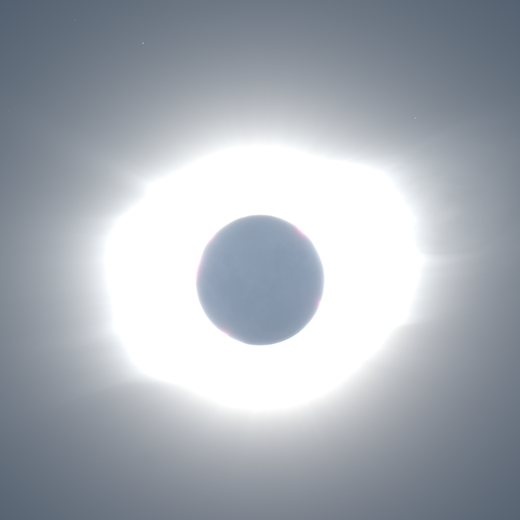 3 s
3 s
This is one cycle of ten exposures, and 1/320 s to 3 s is a factor of 960. The 2020·12·14 picture below is what all ten of them become.
What HELION gives back.
These six eclipses span nine years and one renderer: the lenses, the sites and the Sun altitudes all differ, and every picture went through the same pipeline with the same defaults. A set should differ where the coronae differ and not where the exposures did, which is the whole reason the numbers are stated in the code rather than dialed in per picture.
All six were photographed by Andreas Möller, from a solar-minimum corona of thin polar plumes to a maximum one with streamers all round.
On the day
How to shoot the eclipse.
The corona is a hundred thousand times brighter at the limb than out in the streamers, far more than one frame can hold. So shoot a bracket: a cycle of exposures from 1/400 s to several seconds, repeated for as long as totality lasts. Nothing else changes: only the shutter moves.
| Setting | Best practice | Why |
|---|---|---|
| Image type | RAW | Never shoot JPEG or HEIF. A rendered file already has the tone curve, the white balance and the noise reduction baked in; the pipeline needs the linear sensor values. |
| ISO | 100–200 | Set it once and never change it. Base ISO holds the most dynamic range in every frame, and one set of darks then covers the whole session. |
| Aperture | As wide as the lens opens | The outer corona is faint, and every stop of light is a stop of shutter speed, so more cycles fit into the minutes you get. Set it once and leave it: an aperture changed between the lights and the flats invalidates the flats. |
| Focus | Manual, taped | Autofocus has nothing to lock onto once the Sun is covered. Set focus on the solar limb through your filter during the partial phase, then tape the ring so nothing nudges it. |
| Shutter | 1/400 s → 2–4 s | The short end holds the prominences unclipped; the long end reaches the outer corona and the earthshine on the disk. |
| Bracket step | 1 EV or 2 EV | 2 EV is quicker. 1 EV halves the brightness gap the merge has to bridge between levels, and averages the noise down. |
| Cycles | As many as fit | Shoot complete ones. More cycles mean a deeper and quieter outer corona, and this is where the depth comes from. |
| Shutter mode | Electronic / EFC | An electronic shutter has no moving curtain to shake the camera during the long frames. Whichever you choose, shoot the darks in the same mode: a mechanical shutter has a different dark signature from an electronic one. |
| In-camera processing | All off | Long-exposure noise reduction spends a second frame on every exposure, and correction profiles and picture styles ride along in the file, where a converter can apply them behind the pipeline's back. |
| Mount | Tracked if you can | Shifts between frames are corrected frame by frame, but rotation is corrected only coarsely, and tracking keeps the long frames from trailing. |
Let something else press the button.
Totality lasts only a few minutes, sometimes only seconds, and few people see more than a handful in a lifetime. Watch it with your own eyes. Every dial you turn and every frame you check on the screen is a piece of the corona you will never see again, and no photograph is worth that trade.
So hand the camera to something that does not need to look. A cycle of five to ten exposures, repeated for every second of totality you get, is no job for human hands anyway: a script holds the timing to a tenth of a second and never misses an exposure under pressure. These drive the camera off the contact times computed for your position:
- Eclipse OrchestratorWindows · Fred Bruenjes
- Solar Eclipse MaestromacOS · Xavier Jubier
- SET'n'CWindows · Robert Nufer
- EclipseDroidAndroid · Wolfgang Strickling
- eclipseClickWindows · Swaroop Shere
Whichever you pick, write the script so that only the shutter moves, and rehearse the whole thing end to end, including the calibration frames, long before the day. Eclipse day is not when to learn what your script does.
Shoot the calibration frames before you pack up.
Shoot all of them on the same day, at the same temperature, with the same lens and the same ISO as the lights. Take the darks and the bias straight after totality, and the flats at twilight or on an EL panel.
| Frame | How many | Shutter | Setup |
|---|---|---|---|
| Bias | ~100 | the shortest the camera has | lens capped |
| Darks | 20–40 per shutter speed | every speed the bracket used | lens capped, same temperature |
| Flats | 20–50 | whatever gives ~half saturation | twilight sky or EL panel, same lens and aperture, focus untouched |
| Dark flats | 20–50 | the flats' shutter | lens capped |
This matters more here than in ordinary astrophotography: vignetting and dust shadows are a few percent, which is exactly the amplitude of the coronal structure about to be multiplied by ten. A dust donut left in comes out as a feature.
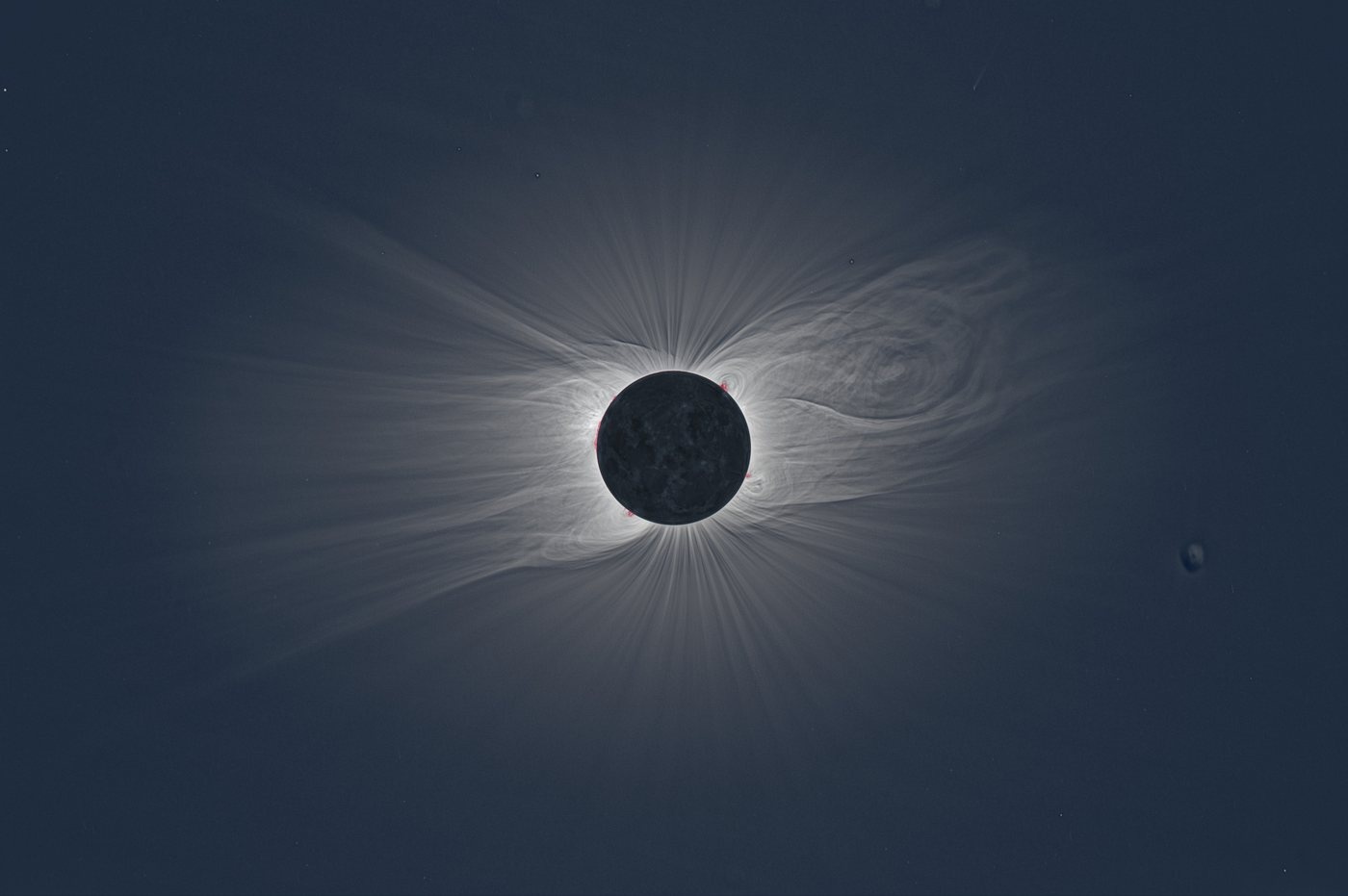
2020·12·14Patagonia, Argentina400 mmunretouched HELION output
Processing the images
How HELION processes the images.
Ten steps carry the session from the RAW files to the finished picture, and these five do the work you can see. Every step writes its result to disk, so a run that stops resumes where it left off, and a single step can be redone on its own without repeating the expensive ones ahead of it.
- 01
Calibrate
Your bias, darks and flats are taken off every exposure of the eclipse, each one matched to the calibration frames that belong to it. Sensor noise, hot pixels, vignetting and dust shadows come out here, before anything is amplified.
- 02
Register
The frames are brought onto each other to a fraction of a pixel, over a subject that drifts through the whole session. Every step that follows rests on this fit, so it is measured rather than assumed.
- 03
Separate the sky
Totality is not black. The twilight sky behind the corona is measured and separated from it, so what stays in the picture is the corona and not the air it was photographed through.
- 04
Enhance
The streamers, plumes and filaments are brought up until they are readable. How far each part of the picture is lifted follows what your frames can carry there, so the structure comes up and the grain does not come with it.
- 05
Assemble
The picture is graded, and the lunar disk and the prominences go back into it at the brightness and color read off your own frames. Nothing at this stage is painted in.
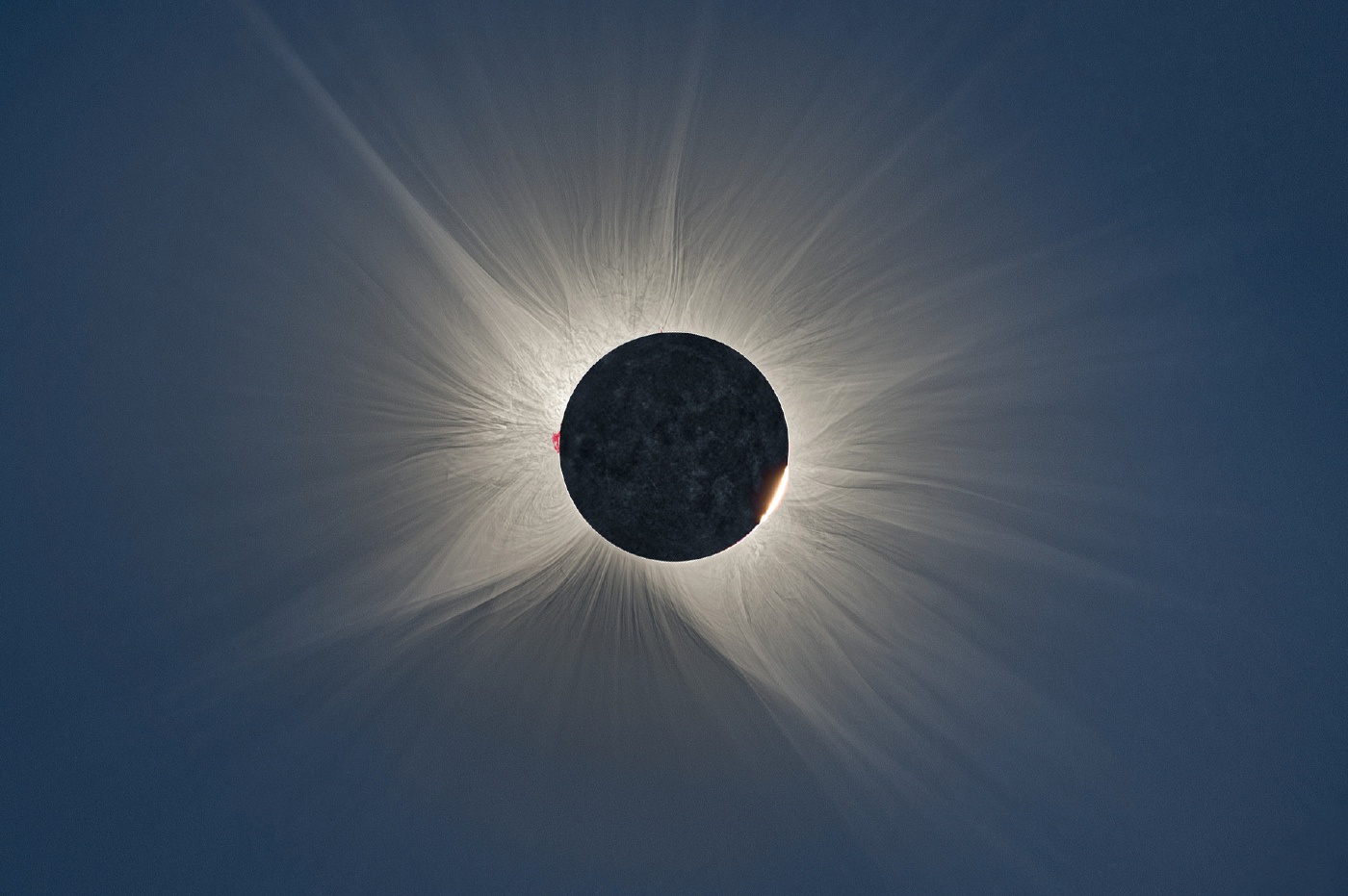
2026·08·12Burgos, Spain400 mmprocessed with HELION, then postprocessed in Lightroom and Photoshop
What it costs
Pay for the project, not for the software.
A project is one eclipse as one camera saw it: one lens, one bracket, the calibration frames that belong to it. You upload it once, and every run you start on it works on those same frames. You pay for the project, not for the run.
Every plan runs the same pipeline with the same defaults, and a free run stacks and divides out your own calibration frames just as the Pro run does, so the picture a free run makes is the picture a paid run makes, only at preview size and under the HELION mark. What a paid plan adds is how many times you can run the project and which files you get back when it finishes.
| Feature | Freeper projectYou get five looks at what the pipeline makes of your frames, calibration frames and all, at preview size. | BasicReading the price…per projectYou get the finished picture at full size, as a JPEG to look at and to post. | StandardReading the price…per projectYou get the finished picture at full size, in every format you can go on working in. | ProReading the price…per projectYou get the same files as Standard, and your own calibration frames applied. |
|---|---|---|---|---|
| The run | ||||
| Runs per projectEvery run works on the frames already uploaded. | 5 preview runs | Unlimited | Unlimited | Unlimited |
| The files you keep | ||||
| Full resolution JPEG, 8-bitThe graded picture is ready to look at and to post. | Preview JPEG, 1500 px, with watermark | Included | Included | Included |
| Full resolution PNG, 16-bitThe graded picture keeps the depth it was rendered at. | No | No | Included | Included |
| Linear DNG, 32-bit floatThere is no tone curve at all, so the file opens straight into your own raw converter. | No | No | Included | Included |
| FITS, 32-bit floatThe linear corona comes in the pipeline's own units, before any grading. | No | No | Included | Included |
| Calibration frames appliedYour own bias, darks and flats are stacked and divided out. | In the preview only | No | No | Included |
| Your account | ||||
| Frames per projectEverything you upload to the project, the lights and the calibration frames together. | 5 GB | 25 GB | 25 GB | 25 GB |
| Project keptAfter that the project goes, and its frames and results with it. | 7 days | 180 days | 180 days | 180 days |
Each price is paid once per project. Running the project again, after moving one of the rendering sliders, costs nothing extra until the runs on the plan are used up.
Next totality